


Download XviD4PSP – Free Video Converter for PSP, iPhone, iPod & More
Overview
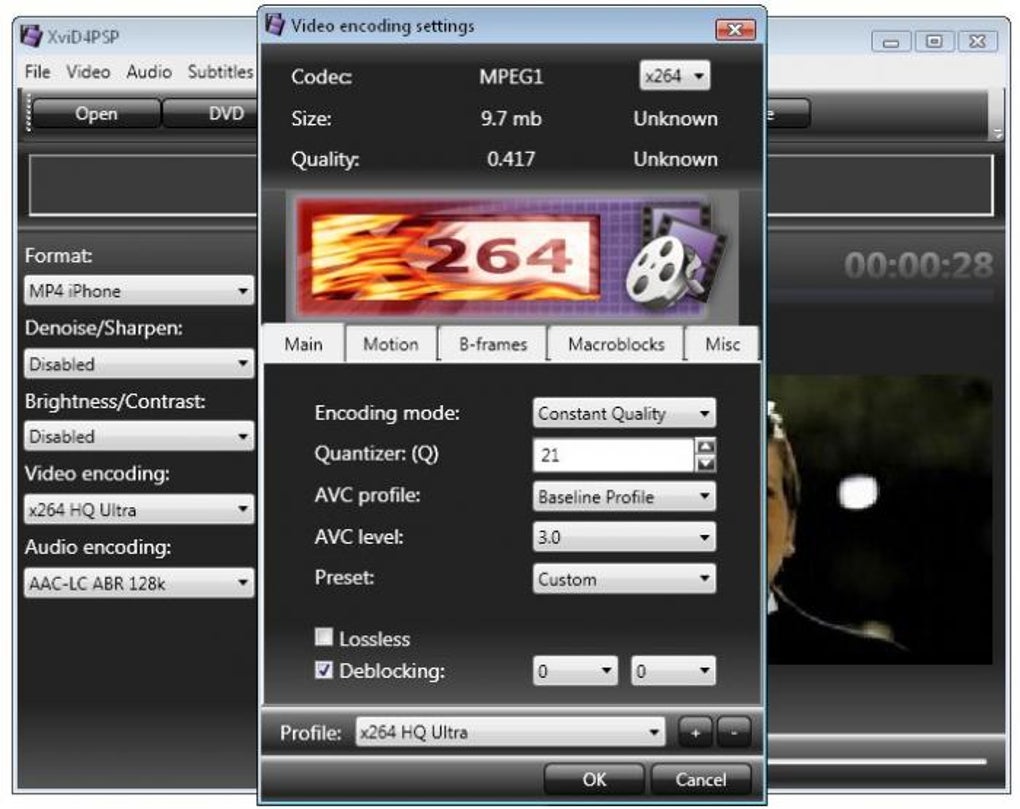
XviD4PSP is a full‑featured video converter designed for anyone who wants to watch movies on the go. Whether you own a PSP, iPod, iPhone, Android tablet or any other portable device with video playback capability, XviD4PSP lets you transform virtually any video file into a format your gadget can handle. The program ships with an intuitive interface, an embedded preview player, and a deep‑dive settings window that lets power users fine‑tune bitrate, resolution, codec, audio track and subtitle options.
While the configuration panel is extensive, the software also offers preset profiles for the most popular devices, making the conversion process quick for beginners. All required codecs and auxiliary tools are bundled in the installer, so you won’t need to hunt for external packs. XviD4PSP is particularly valuable for frequent travelers, commuters, or anyone who enjoys a movie night on a small screen without the hassle of incompatible file formats.
Its robust format support, lightweight footprint, and free‑to‑use licensing make it a strong contender in the crowded video‑conversion market.
Core Features
- Wide Format Compatibility: Supports AVI, MP4, MKV, FLV, WMV, MOV, MPEG‑2, and dozens of others.
- Device‑Specific Presets: Ready‑made profiles for PSP, iPod, iPhone, Android, Windows Mobile, and many more.
- Advanced Codec Settings: Full control over XviD, H.264, MPEG‑4, DivX, AAC, MP3, AC3 and other codecs.
- Embedded Preview Player: Watch a real‑time preview before committing to the conversion.
- Batch Conversion: Queue multiple files and let XviD4PSP process them sequentially.
- Subtitle Integration: Add external SRT or ASS subtitles directly during conversion.
- Audio Track Management: Choose primary or secondary audio streams, adjust volume, or remove audio entirely.
- Fast Conversion Engine: Utilises multi‑core CPUs for accelerated processing without sacrificing quality.
- Free & Open‑Source Components: All required codecs are bundled, eliminating extra downloads.
- Lightweight Installer: Under 10 MB download size, ideal for low‑bandwidth environments.
Installation & Usage Guide
Step‑by‑Step Installation
1. Download the installer: Click the “Download XviD4PSP” button on the official site. The file is a compact .exe for Windows; macOS users can run it via Wine or use the portable version.
2. Run the setup: Double‑click the installer and follow the wizard. Accept the license agreement, choose an installation folder (default is C:\Program Files\XviD4PSP), and let the program install required codec packs automatically.
3. Optional component check: If a warning about missing components appears, simply click “Install Missing Codecs” – the bundled coded pack will handle the rest.
4. Finish & launch: Once installation completes, launch XviD4PSP from the desktop shortcut or start menu.
Basic Conversion Workflow
1. Add your source video: Drag‑and‑drop a file onto the main window or use the “Open” button to browse.
2. Select a preset: Choose a device profile from the drop‑down list (e.g., “iPhone 4/5/6” or “PSP 800”). This automatically adjusts resolution, codec and bitrate.
3. Preview (optional): Click the embedded player’s “Play” button to ensure the video looks correct before conversion.
4. Fine‑tune settings: For advanced users, click “Advanced Options” to modify video codec, bitrate, frame rate, audio channel, and subtitle options.
5. Choose destination folder: Click “Browse” next to the output path field to define where the converted file will be saved.
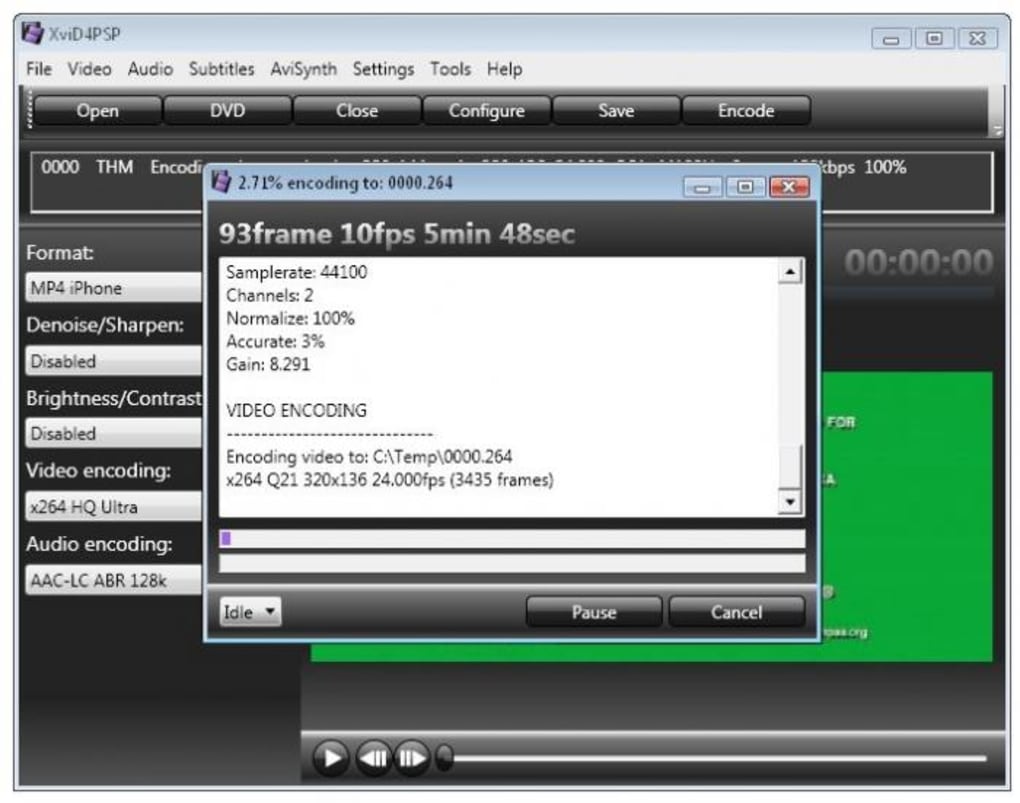
6. Start conversion: Hit the “Start” button. A progress bar shows real‑time status, and you can pause or cancel at any moment.
7. Transfer to device: Once conversion finishes, copy the output file to your portable device via USB, Bluetooth, or cloud sync.
Overall, XviD4PSP’s workflow balances simplicity for beginners with depth for power users, making the conversion process transparent and efficient.
Compatibility, Pros & Cons, and Frequently Asked Questions
Operating System Compatibility
XviD4PSP is primarily a Windows application (compatible with Windows 7, 8, 10, and 11). A portable version works on any Windows system without installation. macOS users can run the program through Wine or a virtual machine, while Linux users may use the Wine compatibility layer. No native Android or iOS apps exist, but the converted files work seamlessly on those platforms.
Pros
- Extensive format support eliminates the need for multiple converters.
- Free to download and use, with no hidden fees.
- Device‑specific presets speed up the conversion for non‑technical users.
- Embedded preview player reduces trial‑and‑error.
- Batch processing saves time when handling large video libraries.
Cons
- Interface feels dated compared to modern converters.
- Advanced settings can be overwhelming for beginners.
- No native macOS or Linux installer; requires Wine for non‑Windows platforms.
- Lacks built‑in video editing tools (trimming, cropping).
- Occasional codec conflicts may require manual resolution.
FAQ – Frequently Asked Questions
-
Is XviD4PSP completely free?
Yes, XviD4PSP is offered as a free download with no hidden subscription fees or trial periods.
-
Do I need an internet connection after installation?
No. All required codecs are bundled, so conversion works offline once the program is installed.
-
Can XviD4PSP handle 4K video files?
Yes, the advanced settings allow you to import 4K sources, though the output must match the capabilities of the target device (most portable players support up to 1080p).
-
Is there a way to add subtitles permanently?
Absolutely. Use the “Subtitle” tab in the advanced options to embed SRT or ASS files directly into the output video.
-
How does XviD4PSP compare to HandBrake?
Both are free, but XviD4PSP focuses on portable‑device presets and an integrated preview player, whereas HandBrake offers more modern UI and built‑in encoding presets for a broader range of platforms.
Review Summary
Rating: 4.2/5
TechReviewer Pro
XviD4PSP delivers a robust conversion engine with unparalleled format support, making it an excellent choice for travelers and media enthusiasts. Its free price tag and bundled codecs are major pluses, though the UI could use a modern refresh.
Conclusion & Call to Action
In summary, XviD4PSP stands out as a versatile, free video converter that bridges the gap between desktop media libraries and portable playback devices. Its extensive feature list, device‑specific presets, and built‑in preview player provide both ease of use for beginners and granular control for power users. While the interface may feel a bit dated and macOS support is indirect, the overall value proposition remains strong, especially for anyone who frequently converts videos for PSP, iPhone, iPod, Android tablets, or other handheld gadgets. If you’re looking for a reliable, no‑cost solution that handles almost any video format, give XviD4PSP a try today.
Download XviD4PSP now and start converting your movies for on‑the‑go viewing!







